Live Activities in iOS: Dynamic Island Layout Customization
⚠️ Speculative Architecture & Preview: This article discusses future system iterations (e.g., iOS 27, Xcode 27) as conceptual planning and architectural design patterns. Technical details represent previews and proposals rather than finalized APIs.
Live Activities in iOS: Dynamic Island Layout Customization
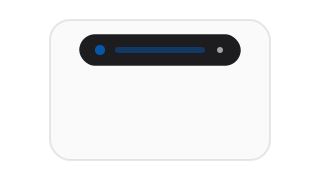
Live Activities display real-time information on the Lock Screen and in the Dynamic Island. Whether tracking a delivery status, presenting a sports score, or monitoring active tasks, the layout must adapt as the event progresses. Instead of presenting a static view, your widget extension must handle dynamic layout transitions based on updating state properties.
Using ActivityKit and SwiftUI, you can build activities that respond to server-push payloads or local background updates, shifting between compact, minimal, and expanded layouts.
Defining Dynamic Attributes
A Live Activity is composed of static attributes (properties that do not change over the activity’s lifetime, like order IDs or product names) and dynamic content state (properties that update frequently, like status codes or arrival times).
import ActivityKit
import SwiftUI

struct RideDeliveryAttributes: ActivityAttributes {
    public struct ContentState: Codable, Hashable {
        // Developer Thoughts: We keep the state properties lightweight.
        // Activity state updates are transmitted via remote push notifications,
        // which have a strict size limit of 4KB.
        var status: String
        var estimatedArrivalMinutes: Int
        var dynamicAccentColorHex: String
    }

    // Static property
    var driverName: String
}
Configuring the Dynamic Island Layout
In your Widget Extension, you implement the ActivityConfiguration to declare how the activity should look in the compact, minimal, and expanded Dynamic Island presentations:
import WidgetKit
import SwiftUI

struct RideDeliveryWidget: Widget {
    var body: some WidgetConfiguration {
        ActivityConfiguration(for: RideDeliveryAttributes.self) { context in
            // Lock Screen Layout
            LockScreenView(state: context.state, driver: context.attributes.driverName)
        } dynamicIsland: { context in
            DynamicIsland {
                // Expanded Layout: Used when the user presses and holds the island
                DynamicIslandExpandedRegion(.leading) {
                    Label(context.state.status, systemImage: "car.fill")
                        .foregroundColor(Color(hex: context.state.dynamicAccentColorHex))
                }
                DynamicIslandExpandedRegion(.trailing) {
                    Text("\(context.state.estimatedArrivalMinutes)m")
                }
            } compactLeading: {
                // Compact Left: Default visual state on one side of the camera cutout
                Image(systemName: "car.fill")
                    .foregroundColor(Color(hex: context.state.dynamicAccentColorHex))
            } compactTrailing: {
                // Compact Right: Default visual state on the other side
                Text("\(context.state.estimatedArrivalMinutes)m")
            } minimal: {
                // Minimal: Used when multiple activities are active concurrently
                Image(systemName: "car.fill")
                    .foregroundColor(Color(hex: context.state.dynamicAccentColorHex))
            }
        }
    }
}
Summary
Live Activities use ActivityAttributes.ContentState to enable layout updates on the lock screen and Dynamic Island. By binding colors, icons, and text fields to dynamic state properties, you can adjust the interface layout as real-world events progress. Keep in mind that remote updates are size-limited, so complex data styling configurations should be resolved locally within the widget extension code.
Post-Launch Notes (iOS 27.0.x)
Three field observations from shipping this pattern against the general-availability build. The core layout guidance is unchanged.
1. Live Activities are still the escape hatch from widget reload budgets
This is worth stating explicitly because it is now the most common reason teams reach for ActivityKit. A Home Screen widget and a Live Activity share the extension and the SwiftUI surface, but only the widget is subject to the timeline reload budget. If your requirement is “update every few seconds while something is in progress,” a Live Activity is the correct primitive — not a widget with .after(Date()) polling. See WidgetKit in iOS 27 for the budget constraints the Live Activity avoids entirely.
2. Order matters when transitioning compact to expanded on dismissal
The transition between compactLeading/compactTrailing and the expanded regions is animated by the system, and mismatched view identity between the two trees causes a visible pop. Keep the same Image and Text instances across compact and expanded where the content overlaps, and derive both from the same ContentState fields rather than recomputing colors in each region. Recomputing the accent color independently in compactTrailing and DynamicIslandExpandedRegion(.trailing) is the usual source of a color flash mid-transition.
3. Dismissal is not instantaneous, and stale entries can render
ActivityKit treats activity.end(_:dismissalPolicy:) as a request, not an immediate teardown. With .default, the activity remains on the Lock Screen for a system-chosen interval, during which a late push update can still mutate the state. If your UI cannot tolerate a post-completion state change, gate updates behind a terminal flag in ContentState and ignore pushes once it is set:
// Developer Thoughts: push handlers still fire after end() is requested.
guard !context.state.isTerminal else { return }
For time-bounded activities (delivery, live score) prefer .after(Date()) so the dismissal aligns with the event rather than an arbitrary system interval.
Verdict update: none required. The original guidance to resolve styling locally and keep ContentState lightweight remains correct — and the 4KB remote payload limit is unchanged. The three items above are operational refinements, not reversals.