Memory-Mapped Files: Handling Massive Datasets on iOS
Memory-Mapped Files: Handling Massive Datasets on iOS
When your app needs to process a 2GB log file or a massive local database, Data(contentsOf:) is a recipe for an OOM (Out of Memory) crash. Mobile devices have plenty of storage but very constrained RAM. The solution is Memory Mapping (mmap).
The Hook: The Memory Pressure Kill
Loading a large file into an Data object forces the OS to allocate a contiguous block of RAM. If that block is larger than a few hundred megabytes, the system will likely terminate your app to reclaim memory for other processes.
The “Why”: Virtual Memory Magic
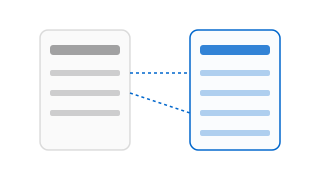
Memory mapping allows you to map a file on disk directly into your app’s virtual address space. The OS only loads the specific “pages” of the file into physical RAM when you actually access them. This allows you to “read” a 5GB file while using only a few megabytes of actual RAM.
The Implementation: Using mmap via Data
Swift’s Data provides a convenient way to use mmap without dropping all the way down to C APIs.
func processLargeFile(at url: URL) throws {
    // .alwaysMapped ensures the OS uses mmap
    // .uncached tells the OS not to keep it in the disk cache (saving RAM)
    let data = try Data(contentsOf: url, options: [.alwaysMapped, .uncached])

    // We can now access the data as if it were in memory
    // The OS handles the paging in the background
    let firstByte = data[0]
    let lastByte = data[data.count - 1]

    print("Processed \(data.count) bytes without OOM.")
}
For more advanced needs (like writing to a mapped file), you would use the POSIX mmap function directly to gain control over protection bits (PROT_READ, PROT_WRITE) and flags (MAP_SHARED).
The Verdict: Efficiency vs. Latency
- Pros: Minimal RAM usage; zero-copy data access.
- Cons: Accessing a page not in RAM triggers a “page fault,” which can introduce slight latency while the data is read from disk.
- When to use: Large assets, offline databases, or processing massive telemetry files.
Internal Connectivity
- Foundation: Advanced Core Data: SQLite PRAGMA
- Next Step: UnsafePointers vs. Managed Memory