Modern UI: The Convergence of SwiftUI and UIKit
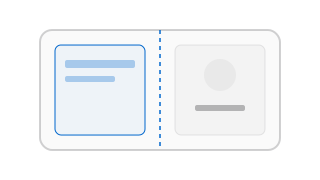
Modern UI: The Convergence of SwiftUI and UIKit
In 2026, the question is no longer “SwiftUI or UIKit?” but “How do we best combine them?” While SwiftUI is the primary choice for new development, UIKit remains essential for low-level control, complex animations, and maintaining legacy systems.
1. SwiftUI: The Declarative Future
SwiftUI’s power lies in its Single Source of Truth. By using @State, @Binding, and @Environment, you ensure your UI is always in sync with your data.
- The View Hierarchy: Unlike UIKit, SwiftUI views are lightweight structs. They are destroyed and rebuilt frequently. This shift requires a mental move from “view persistence” to “data persistence.”
- Layout System: Understand how
GeometryReader,ViewThatFits, and theLayoutprotocol allow for complex, responsive designs. SwiftUI’s layout is “Proposed Size” based—the parent proposes a size, and the child chooses its own size. - Performance: Avoid heavy logic inside the
bodyproperty. Sincebodyis called whenever state changes, keep it purely for declaring UI.
2. UIKit: The Imperative Foundation
There are still scenarios where UIKit is superior—custom collection view layouts (Compositional Layout), complex navigation transitions, or integrating with older system APIs.
- Interoperability: Master
UIViewRepresentableto bring UIKit views into SwiftUI, andUIHostingControllerto bring SwiftUI views into UIKit. - ViewController Lifecycle: Even in a SwiftUI-first app, understanding
viewDidLoad,viewWillAppear, andviewDidLayoutSubviewsis critical for handling hardware events or low-level rendering.
3. The Apple Aesthetic
As per our design guidelines at iosdev.in, we prioritize the “Glass UI” look.
- Materials: Use
.background(.ultraThinMaterial)in SwiftUI to achieve that premium hardware feel with real-time blur. - Typography: Strictly use the system font stack. Leverage
fontDesign(.rounded)orfontDesign(.monospaced)strategically to convey depth and technical precision. - Animations: Prefer
withAnimation(.spring())over linear transitions. Spring physics make the UI feel “alive” and responsive to touch.
4. UI Engineering Principles
- Composition: Break your UI into small, atomic components. This makes them easier to test, reuse, and debug.
- Accessibility (a11y): Professional apps are for everyone. Use standard components to get VoiceOver, High Contrast, and Dynamic Type support automatically. Use
.accessibilityElement(children: .combine)to group related labels. - State Management: Don’t thread state through 5 layers of views. Use
@EnvironmentObjector the modernObservationframework to provide data exactly where it’s needed.
Checkpoint Task
Rebuild a complex screen (like the App Store “Today” tab) using SwiftUI. Ensure it handles both Light and Dark modes perfectly using our custom design tokens, and verify that the layout remains consistent across different screen sizes using Xcode Previews.