Default Package Settings: Eliminating Duplicate Settings in Package.swift
Default Package Settings: Eliminating Duplicate Settings in Package.swift
When building modular Swift packages, it’s common for your Package.swift manifest to grow verbose and repetitive. If you want to enable upcoming compiler flags (like ExistentialAny or strict concurrency checking) across ten different targets, you have to duplicate those settings arrays inside every target block.
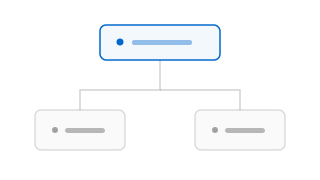
The Swift Evolution proposal SE-0540 (Default Package Settings) simplifies manifest authoring by allowing you to define default compiler and linker flags once at the package level. Every target in your package automatically inherits these defaults, reducing boilerplate and preventing configuration drift.
The Target-Level Duplication Problem
Before SE-0540, aligning compiler features across multiple package modules required declaring helper constants inside your manifest file:
// swift-tools-version: 5.9
import PackageDescription

// Helper array to keep targets aligned
let commonSwiftSettings: [SwiftSetting] = [
    .enableUpcomingFeature("ExistentialAny"),
    .enableUpcomingFeature("ConciseMagicFile"),
    .enableExperimentalFeature("StrictConcurrency")
]

let package = Package(
    name: "SharedUtility",
    targets: [
        // Developer Thoughts: We have to pass the settings array to every single target.
        // If a new developer adds a target and forgets to include the variable,
        // that module compiles with different warnings and safety checks.
        .target(name: "Logging", swiftSettings: commonSwiftSettings),
        .target(name: "Networking", dependencies: ["Logging"], swiftSettings: commonSwiftSettings),
        .target(name: "Storage", dependencies: ["Logging"], swiftSettings: commonSwiftSettings)
    ]
)
While this helper variable approach works, it feels like a workaround. New targets added by automated tools or developers who aren’t familiar with the manifest structure frequently miss the helper settings, causing silent configuration discrepancies during builds.
Declaring Global Defaults at the Package Level
With SE-0540, you can move these configurations to the package-level initializer. Targets will automatically inherit these settings without needing to declare them explicitly:
// swift-tools-version: 6.4
import PackageDescription

let package = Package(
    name: "SharedUtility",
    // SE-0540: Declared globally at the top level
    defaultSwiftSettings: [
        .enableUpcomingFeature("ExistentialAny"),
        .enableUpcomingFeature("ConciseMagicFile")
    ],
    targets: [
        // Targets automatically inherit the default settings
        .target(name: "Logging"),
        .target(name: "Networking", dependencies: ["Logging"]),

        // Developer Thoughts: You can still append target-specific settings.
        // Target settings are added to the inherited package defaults.
        .target(
            name: "Storage",
            dependencies: ["Logging"],
            swiftSettings: [
                .define("SQLITE_PERSISTENCE")
            ]
        )
    ]
)
If you have a legacy module that cannot compile under these strict default settings, you can override them on that specific target by explicitly passing a different configuration, ignoring the inherited package default.
Summary
SE-0540 is a great addition for platform engineers maintaining large Swift package codebases. It makes manifests easier to read, helps enforce consistent compiler warning checks across modules, and simplifies target declarations. Keep in mind that these default settings are scoped to the package itself; if another project imports your package as a dependency, your default settings won’t impact their targets.