AsyncStream Backpressure: Managing Rate Mismatches
AsyncStream Backpressure: Managing Rate Mismatches
When bridging delegate callbacks, C-style events, or WebSockets into Swift Concurrency, AsyncStream is the standard tool. It provides a thread-safe Continuation wrapper that allows a synchronous producer to yield elements into an asynchronous sequence.
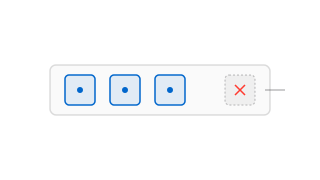
However, AsyncStream yields elements synchronously. The yield() call returns immediately without suspending the producer if the consumer is slow to process events. If the rate of emission exceeds the rate of consumption, elements can pile up. Without a buffering strategy, this rate mismatch can cause unbounded memory growth.
Configuring Buffering Policies
By default, initializing an AsyncStream without a buffering policy grants it an .unbounded buffer. Under heavy load, this default can lead to memory pressure.
Here is how you can set up a location update sequence with a limited buffer space to handle slow consumption:
import Foundation
import CoreLocation

struct LocationUpdate {
    let coordinate: CLLocationCoordinate2D
}

class LocationStreamBridge {

    // We limit the buffer to 5 elements. If the consumer hangs,
    // we discard old coordinates rather than running out of memory.
    func locationSequence() -> AsyncStream<LocationUpdate> {
        AsyncStream(LocationUpdate.self, bufferingPolicy: .bufferingNewest(5)) { continuation in
            startLocationManager { location in
                let update = LocationUpdate(coordinate: location)

                // Developer Thoughts: yield() is non-blocking.
                // Under bufferingNewest(5), if the consumer is slow,
                // the runtime silently drops the oldest coordinate in the buffer.
                let result = continuation.yield(update)

                switch result {
                case .enqueued:
                    break // Element successfully added
                case .dropped:
                    // Developer Thoughts: We can monitor dropped elements
                    // to adjust location manager update frequencies.
                    print("Buffer full. Location update dropped.")
                case .terminated:
                    break // Stream is cancelled or finished
                @unknown default:
                    break
                }
            }

            continuation.onTermination = { @Sendable _ in
                self.stopLocationManager()
            }
        }
    }
}
Buffering Policy Options
The behavior of AsyncStream depends on which BufferingPolicy is chosen to handle rate differences:
- .unbounded (Default)
- Behavior: Appends every yielded element to an internally managed FIFO array with no size limit.
- Risk: Can lead to memory issues. If your producer emits elements rapidly and the consumer is blocked, memory usage will grow indefinitely.
- .bufferingNewest(limit)
- Behavior: Keeps up to
limititems. When a new item is yielded to a full buffer, the oldest element in the queue is discarded. - Use case: Ideal for status updates, UI scroll positions, or sensor readings where only the latest state is relevant.
- Behavior: Keeps up to
- .bufferingOldest(limit)
- Behavior: Keeps up to
limititems. When the buffer is full, any new elements are discarded immediately. - Use case: Useful when the initial sequence of events must be preserved.
- Behavior: Keeps up to
Summary
Selecting the appropriate buffering policy for AsyncStream is key to managing memory. For real-time updates where only the latest state matters, .bufferingNewest is typically the best choice. If you require actual backpressure that suspends the producer, consider using AsyncChannel from the swift-async-algorithms package instead.