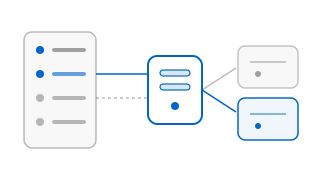
Swift Concurrency Thread Pool Starvation: Diagnosing Cooperative Pool Exhaustion
Swift Concurrency Thread Pool Starvation: Diagnosing Cooperative Pool Exhaustion
Understanding Swift concurrency thread pool starvation is essential for maintaining production application responsiveness under heavy asynchronous loads. Unlike legacy Grand Central Dispatch (GCD) queues—which spawned dozens of worker threads dynamically when queues became blocked—Swift’s native concurrency runtime intentionally bounds its cooperative thread pool to the device’s physical core count.
When synchronous blocking calls, POSIX locks, or unbounded disk I/O are executed within async functions without yielding, worker threads become blocked. Once all cooperative threads are consumed, new asynchronous tasks cannot schedule, freezing the UI and triggering watchdog crashes.
The Verdict
- The cooperative thread pool is strictly bounded: On a device with 6 CPU cores, the cooperative pool allocates exactly 6 worker threads. Blocking all 6 halts the entire asynchronous runtime.
Task.yield()is not a preemptive scheduler: Cooperative tasks only yield control at explicit suspension points (await). A long-running synchronous calculation without anawaitmonopolizes its thread uninterrupted.- Never call blocking POSIX or synchronous locks in
Task: Code invokingpthread_mutex_lock,sem_wait, or synchronous file descriptors inside an async function causes immediate pool starvation. - The architectural fix: Offload legacy synchronous blocking operations onto a dedicated, private
DispatchQueueusing an isolated serial executor or asynchronous continuation wrappers.
The Starvation Mechanism: GCD vs. Cooperative Runtime
Under Grand Central Dispatch, developers routinely wrote code like:
// Legacy GCD: Subsystem dynamically spawned up to 64 threads under load
DispatchQueue.global().async {
    let data = try? Data(contentsOf: remoteLargeURL) // Synchronous blocking I/O
    process(data)
}
If 10 blocking downloads ran concurrently, GCD created 10 threads. In Swift concurrency, executing blocking calls inside async contexts creates catastrophic failure:
// ANTI-PATTERN: Starves the cooperative pool
func fetchLargePayload(from url: URL) async throws -> Data {
    // Calling a blocking synchronous API on the cooperative thread
    return try Data(contentsOf: url) // Blocks worker thread for seconds
}

func startBackgroundSync(urls: [URL]) async {
    // If urls.count >= active CPU cores, all cooperative threads freeze!
    await withTaskGroup(of: Void.self) { group in
        for url in urls {
            group.addTask {
                _ = try? await fetchLargePayload(from: url)
            }
        }
    }
}
Architectural Isolation: Dedicated Execution Queues
To execute synchronous or legacy blocking I/O without starving the cooperative executor, wrap the work in an asynchronous boundary backed by an independent dispatch queue:
import Foundation

public final class DedicatedIOQueue: Sendable {
    public static let shared = DedicatedIOQueue()

    // Dedicated serial queue completely outside the cooperative thread pool
    private let queue = DispatchQueue(
        label: "in.iosdev.dedicated-io",
        qos: .utility,
        attributes: []
    )

    public func executeBlockingIO<T: Sendable>(
        _ work: @escaping @Sendable () throws -> T
    ) async throws -> T {
        try await withCheckedThrowingContinuation { continuation in
            queue.async {
                do {
                    let result = try work()
                    continuation.resume(returning: result)
                } catch {
                    continuation.resume(throwing: error)
                }
            }
        }
    }
}
By wrapping blocking reads in DedicatedIOQueue.shared.executeBlockingIO, the cooperative worker thread immediately suspends and is returned to the pool to service UI and network continuations, while the disk read executes safely on an independent GCD thread.
Instruments Diagnostics: Detecting Starvation
To diagnose thread pool starvation using Xcode Instruments:
- Open the Swift Concurrency Template: Record a trace during high-volume background sync operations.
- Inspect the Thread State Graph: If all cooperative threads show
Blocked (State: Waiting on Lock)while theTasks Waiting for Threadcount spikes exponentially, you have identified thread pool starvation. - Audit Stack Traces: Locate the top of the call stack on blocked worker threads to find the un-yielded synchronous call.
Related Deep Dives
- Swift 6.4 Concurrency: Async Defer, ~Sendable, and Borrow Accessors — fundamentals of language-level concurrency and isolation.
- withTaskCancellationShield: Structured Cleanup Under Cancellation — handling task cancellation and teardown safely.
@isolated(any): Isolation-Aware Function Types — executor propagation across asynchronous function boundaries.
References & Documentation
- Apple Developer Documentation — Swift Concurrency — official architecture overview for tasks and actors.
- Swift Evolution — SE-0304: Structured Concurrency — specification defining cooperative task pooling.
- Swift.org — Asynchronous Programming and Threading Model — technical details on runtime scheduling.