SwiftUI Scroll Transitions: Customizing Viewport Entrance
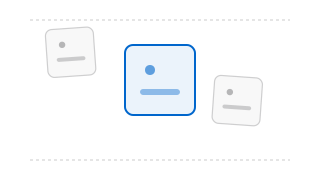
SwiftUI Scroll Transitions: Customizing Viewport Entrance
Applying dynamic scaling, rotations, or opacity fades to elements as they scroll into and out of the viewport has historically been a performance bottleneck in SwiftUI. Before native transition modifiers, developers had to wrap scroll items inside nested GeometryReader views, extract global frame offsets, and calculate scale coefficients on the fly. This triggered continuous layout recalculations and dropped frames during fast scrolling.
SwiftUI simplifies this with the .scrollTransition modifier. This API allows you to monitor a view’s relative position within its scroll container using ScrollTransitionPhase, applying visual adjustments with zero layout-pass overhead.
Observing Scroll Transition Phases
The .scrollTransition modifier provides a closure yielding the unmodified content and the current phase details.
Here is how you apply a symmetrical scale and fade transition to list elements as they approach the top or bottom edges:
import SwiftUI

struct CardCarouselView: View {
    var body: some View {
        ScrollView(.vertical, showsIndicators: false) {
            LazyVStack(spacing: 16) {
                ForEach(0..<50) { index in
                    RoundedRectangle(cornerRadius: 16)
                        .fill(Color.blue.opacity(0.15))
                        .frame(height: 120)
                        .scrollTransition { content, phase in
                            // Developer Thoughts: phase.isIdentity returns true
                            // when the view is fully centered in the viewport.
                            content
                                .opacity(phase.isIdentity ? 1.0 : 0.4)
                                .scaleEffect(phase.isIdentity ? 1.0 : 0.85)
                                .blur(radius: phase.isIdentity ? 0 : 2)
                        }
                }
            }
            .padding(16)
        }
    }
}
Continuous Value Interpolation
For more complex animations—such as horizontal cards that rotate slightly as they glide into focus—you can use phase.value to interpolate values.
phase.value ranges from -1.0 (fully exited at the top/leading edge) to 0.0 (centered identity) to 1.0 (fully exited at the bottom/trailing edge).
struct HorizontalSlider: View {
    var body: some View {
        ScrollView(.horizontal, showsIndicators: false) {
            LazyHStack(spacing: 20) {
                ForEach(0..<10) { index in
                    RoundedRectangle(cornerRadius: 12)
                        .fill(Color.blue)
                        .frame(width: 250, height: 150)
                        .scrollTransition(axis: .horizontal) { content, phase in
                            // Developer Thoughts: We use phase.value directly to drive
                            // rotation and 3D effects based on scroll progress.
                            content
                                .rotation3DEffect(
                                    .degrees(phase.value * -15),
                                    axis: (x: 0, y: 1, z: 0)
                                )
                                .offset(x: phase.value * -20)
                        }
                }
            }
            .padding(20)
        }
    }
}
Summary
The .scrollTransition modifier replaces high-overhead geometry calculations with a lightweight, GPU-optimized rendering pipeline. By checking phase.isIdentity or interpolating with phase.value, you can create smooth card carousels or page animations without stuttering. Keep in mind that scroll transitions only animate visual effects (like scale, rotation, and opacity); they do not change the actual layout bounds of the views.